Posts

Yes, Another PLN Post...

Image
Yeah, there are a hundred or so PLN posts out there. Here's another one. Why? I'm presenting this stuff at an in-service, and I couldn't find all of this stuff in one place. I decided to compile it all on our district web page. Here are the fruits of my labor. My slide deck for the presentation... What is a PLN? Personal Learning Networks, or PLNs, are the collegial relationships you have with peers. Originally, they were your family and friends, maybe other educators you worked with, but thanks to the internet and web 2.0 tools have become much much larger. PLNs can now include myriad communities, including but not limited to social networking sites like Facebook, blogs, Twitter, wikis, social bookmarking tools, LinkedIn, Goodreads, and Ning. n. – the entire collection of people with whom you engage and exchange information, usually online. ( http://bit.ly/Klingensmith )  How to build it Twitter (not just for breakfast anymore) Okay, so maybe...

Tech.it.u PLN Follow Friday

Okay, so I've had a lot of folks that are new to Twitter ask me this week about the folks I follow. It got me thinking. Follow Friday's, or "#ff" have become a Twitter standard practice. Since we're all psyched about Will Richardson's suggestions of building our own networks yesterday, I thought we should do a Tech.it.u PLN Follow Friday . For the good of the cause, choose one or two of your Tweeps, whom you consider to share very relevant, challenging, or useful information on a regular basis. Compose a quick tweet on Friday (that's tomorrow already) like this: #techitu #ff @jgates513 @willrich45 Great consistent tweets on #edtech Let us know briefly why you follow them. Do they post on your subject? Do they share great Edtech resources? Do they challenge you and sharpen your practice? Those of us trying to build our own PLN via Twitter can watch these #ff posts and choose, hopefully, to follow those who are most relevant to us. Good luck and gre...

Students as Contributors

Image
In preparation for an upcoming conference ( Tech.it.u ), I was asked to watch this and comment on this question: "What legacy do you think your students can create to make a contribution for other students or the community?" Wow! I'm so pumped after watching this video. I "heart" TED talks as it is, but I was blow away by how much this resonated with what is happening in my experience right now. At Spring Grove Middle School we've been ramping up to replace our cross curricular project with a service-learning initiative. I teach a CIT course to seventh and eighth- grade students that focuses on what Vicky Davis, the "Coolcat Teacher" refers to as Technology Fluency . To accomplish this I typically develop various Project Based Learning units that compose the entire nine weeks I have students for. Recently, in light of our looming service learning initiative and the disengagement of about 7-10 % of my students with my current project, I decided ...

A TED Talk to chew on this summer...

WOW... This gives us a lot to think about in education. Any ideas on moving forward incorporating this knowledge into practice? Comments welcome...

Teaching type as an element of design for middle schoolers...

Image
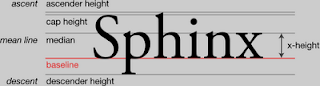
After much repeated tweaking, I've finally got a little "How To" & "How not to" guide together for my middle school students on type & design.  I've decided to forgo all talk of serifs, ascenders, vertical rhythm, and so on in favor of just what they need to know aesthetically to hopefully do a better job with type in their simple designs. Much thanks to Rob Schwartz who has made a brilliant set of videos that I've referenced as a part of my Typography Bootcamp for Middle Schoolers .

Diigo Educator quick start guide...

Okay, I'd like to give y'all a chance to learn from my successes and failures over the last two weeks, so here goes. If you want students to use Diigo for class and your school doesn't have / support student email, sign up for an educator account . FAQ Get your students' info.  Use a google form with fields set up in this order: name, email, username, password. Download the resulting spreadsheet as a csv.  It should look like this . (Diigo's sample csv doesn't load) Hints for Success: Make sure to have students add school initials to their usernames; there are a lot of Diigo users out there. Create a class group and upload your users.

Presentation Tools for Teachers (& Students)...

...that aren't overdone. This year, my colleagues and I moved into a renovated building. One of the upgrades that every teacher experienced was a classroom equipped with a ceiling-mounted computer projection unit, a Mobi (mobile whiteboard), and a Laptop.  As a result, the number of us using PowerPoint for every lesson has grown exponentially. The explosion of Power Point aided lessons has in some cases led to an exponential growth in students placing Power Point on the same level as thick worksheet packets and lengthy standardized assessments. Further, many teachers are starting to feel the same way after being subjected to poorly constructed and delivered presentations by students. What happened to this tool that at the start seemed so engaging and dynamic? Essential Question: How do teachers navigating this new world of projection screens, Smartboards, etc. keep things fresh? Let's look at some presentation tools and techniques available to any teacher with an Internet ...