Posts

Showing posts with the label gbl

5 Elements and Still Relevant

Image
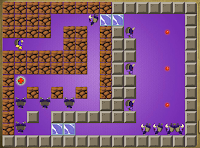
 UPDATE: GSM put out a survey about the future! ::Take the survey:: Back in 2008 (seems like yesterday), E-Line Media in partnership with the Institute of Play , rolled out a new site, called Gamestar Mechanic , which was originally developed by Gamelab in partnership with the Academic Advanced Distributed Learning Co-Lab (AADL) at the University of Wisconsin-Madison. This is a site that aims to teach kids how to design their own games, with the premise that designing games builds: Systems Thinking, 21st Century Skills, Creative Problem Solving, Art and Aesthetics, Writing and Storytelling, and creates a motivation for STEM learning. If you've read my blog for any length of time, you will know that this is a tool that I consider to be indispensable. I was pretty new to teaching Computer Science in 2008. I had only been at it a year, and I was trying desperately to make the leap from programming (we were using Scratch for that back then with no manual or guide wh...

RIP: Apps and initiatives that are no longer with us.

Image
Okay, I'm going to need you to bear with me while I rant a little bit, whine some, and cry out for help and advice. Engaging Middle School students is hard, even in the computer lab. Most of the garbage out there that is marketed to teachers, particularly in the technology department, is not only teaching antiquated skills, but is also incredibly " edukitschy ". Every once in awhile you find a gleaming diamond in the rough that is awesome and free. This rarely happens for teachers, and when it does, it becomes all the more heart-breaking when it suddenly goes away. Sometimes we only get to greet these things at a distance, and due to our circumstances never get to enter the promised land before the world has moved on.    Project Spark Project Spark was a game creation / simple programming environment for Microsoft Windows 8.1, 10 and Xbox One, which was the very beautiful child of it's homely parent, Kodu. Kodu is a visual programming tool which builds on i...

Danielson is a Hard Core Gamer: Part 1 - Gamification & Classroom Environment

Image
Okay, so I don't know Charlotte Danielson , and I cannot seriously make conjecture on her leisure activities, particularly in the realm of video games. With that out of the way, I wanted to explore some of the ways in which the use of simulations, games, gamification and game design relates to and can exemplify the four domains of Danielson's Framework for Teaching and learning . Today, I'd like to begin with Domain 2, Classroom Environment. In future posts on this topic, I plan to explore the other domains. For those of you who are being evaluated using the Danielson framework and who also happen to be doing gamification (with or without Classcraft), feel free to steal liberally from the language in this post for your professional "evidence folder". Gamification, Levelling up my Classroom environment with Classcraft I've been using Classcraft off and on since last year, but I'm just now really starting to get into a groove with this thing. ...

New Post on the GSM Teacher Blog: Game of Sprites

Image
Hey, all. Go check out my latest post on the Gamestar Mechanic Teacher Blog !  Game of Sprites – An epic adventure in STEAM learning. The Holidays are upon us! The students are restless… It’s time for a new challenge! Starting November 18th, the awesome team at Gamestar Mechanic began releasing a series of brand-new Challenges for your students to play through. These challenges will not only allow your students to unlock new sprites and gear but also provide them with a great lead up to a new Contest that will task them with creating their own... More

Designing Fun: New post on Gamestar Teacher Blog

Hello friends, It has been awhile. I do have some new posts in the editing queue for this blog, but for my most recent post, go check out: Designing Fun: There’s more to game design than programming It is posted over at the Gamestar Mechanic Teacher Blog . A big thanks to the folks at Eline Media for the opportunity to blog for them. 

Infographic: Cognitive Flow & Game Design

Image
Here's an infographic I made for my game design students and future blog posts because I didn't like any of the graphics currently available. I'm open to improvement suggestions. I used Easel.ly https://s3.amazonaws.com/easel.ly/all_easels/13957/Flow/image.jpg Edtech tweeps, if you're writing about Game-Based Learning, Gamification, or Game Design, and you want to use this in a post, permission granted. If you have ideas on how it could be better, comment below or hit me up on Twitter .

STE[a]M, App Flows, and Common Sense.

Image
A few months back, I did a series of posts titled, "Hey computer teachers, stop wasting students' time". There I laid out the the basic premise that computer class, if it is to have value, should cover Computer Science topics. Hey ,  Computer  Teachers, stop wasting students' time! (Part 1) Hey ,  Computer  Teachers, stop wasting students' time! (Part 2) I wanted to follow those posts up with some really practical posts for computer teachers, particularly those of us from the BCIT certification, who tend to lack of hard-core Information Technology experience. It's easy, after all, to say we need to spend more time teaching students coding, programming, dynamic systems design & analysis, and end-user experience and less time teaching keyboarding, Word, Excel, and PowerPoint, but how do we make that transition? Today I'm going to introduce one tool that is relatively new, but growing quickly in popularity. Common Sense Media App flows Rath...

Games, Gratitude, & Undergrads

Image
Receiving a "buff" out of the blue... w00t! On February 17th, I made the trek across the river to Millersville University . Jenn Shettel had invited me to lead a Middle Level Game Literacy Workshop with some undergrad pre-service education block students. We spent two hours talking about games, gamification, game based learning, and game design. More importantly, we talked about kids. We talked about teaching and learning. We talked about what works and does not work in the classroom. I had an awesome morning working with these students, and I got some great feedback from my host. I must admit, though, you're never 100% sure how a group you've worked with feels.

The promise & reality of GBL in Science

Image
Citizen Science shown in GameUp Though I am not a Science teacher, Science was by far my favorite subject in school. I enjoyed the occasional English class, but Science was awesome. I loved labs in Chemistry, Biology, and Geology. Somehow I missed Physics (probably when I took AP Biology), but I bet I would have loved that too. The sad fact is, that due to shrinking budgets, time constraints, and, at times, facilities constraints, Science class in many schools is less and less about actual science and more and more about textbook reading and information recall. This is where games and simulations are coming in to fill the gaps. I get that a game is never going to replace real research and lab work, but it is certainly a better substitute than worksheet packets. My school building has added two new Science teachers for next year. I would love to be able to share some great game based learning resources with them. That got me thinking, what would I recommend? What's out there...

Fixing Teach with Portals issues.

Image
I must say that when I learned abut Steam for Schools , I was totally stoked. In my classroom it has been nothing short of awesome. Unfortunately, lately the SFS initiative has looked a bit like one of the dilapidated Aperture test facilities at the start of Portal 2. Valve isn't feeling the love for those of us wandering in the wilds of Public Ed. For those of you who signed up and are experiencing multiple crash issues, connection errors, and myriad other issues, here's how I got my Portal 2 installs back up and running. If you have to do this on 30 workstations, pack an extra sandwich (or potato) and plan to stay late after school.

WoW, I'm finally giving this a try...

Image
My character in a starting area. It's time to get my nerd on! After reading the testimonies of countless educators, being inspired by J ane McGonigal's first TED talk , and reading " WoW in School; a hero's journey ", I finally took the plunge. I am trying World of Warcraft . This shall be interesting... I hope to get some experience with this game and perhaps con some friends (& preferably colleagues) into coming online with me. So far, after playing for about a week, I have more questions than answers. For example, does my player need to eat? There certainly is a lot of food around but I've been fasting this whole time. I can read extensive articles on the wiki about food, food types, food preparation, and even feeding pets in the game. Nothing tells me whether my character will eventually drop dead from starvation. That would be interesting... I'd be happy to accept any tips from you, my blogosphere peeps (& tweeps ) on this one. I ...

Why you hate group work.

Image
Collaboration, it's one of the 21st century skills. There's pretty much unanimous agreement among policy-makers, academic thinkers, and business leaders that collaboration must be a crucial part of our classrooms. Incidentally, there is almost unanimous agreement among teachers and students that group work is painful, cumbersome, annoying, and largely counter-productive. Even popular reality  shows rely on group assignments to weed out contestants and create unnecessary drama. Why is something that is so important and crucial to our survival, so painful and dreadful? How can we make it more awesome? What do we do with collaboration? Part 1: Why you hate group work. Before our winter holiday break, I informally polled students in my classes. In all of my sections but one, 100% of my students noted that they hate doing group work. In one class two students said that they love group assignments because they can usually con their group mates into doing all of the work. Wh...

Gamestar + Gamekit Beta = Awesome

Image
21st Century Skills... why game design? I've been using game design for the last couple of years to increase the application of " 21st Century Skills " in my class. The actual curriculum of my course is focused on the ISTE NETS , my official standards, and the Pennsylvania  Computer Information Technology Standards for grades 6-8 . My goal in teaching and assessing those skills, though, is to provide a context including as much STE[A]M focused content as possible and as many opportunities as I can for students to practice the  21st Century Skills . Game Design is concerned with studying the concepts behind the basic elements of a game, and how the balance of fun and challenge in games creates flow. It is also concerned with the iteration feedback loop and how games are a complex system designed around creating a satisfying user experience. Game design is a great jumping off point for introducing STEAM (Science, Technology, Engineering, Art and Math) learnin...

Leveling up: Best beginner tools for taking game design to the next level in the classroom?

Image
This is not a guide. This is a conversation. Hopefully the comments on this post will be more useful than my ramblings. With that said, let me hit you with the premise. The Premise Game design is a great jumping off point for introducing STEM (Science, Technology, Engineering and Math) learning through the lens of systems-thinking and user-centered design while stopping short of providing any real foundation in coding, programming, or engineering, areas covered in the realm of game development . I would like to find a way to begin the transition from game design to game development in my classroom, in order to move from STEM theory (ideas and concepts) to STEM skills (concrete practice). Some rights reserved  by  artnoose Game Design is concerned with studying the concepts behind the basic elements of a game, and how the balance of fun and challenge in games creates flow. It is also concerned with the iteration feedback loop and how games are a complex system des...

Hey, Computer Teachers, stop wasting students' time! (Part 2)

Image
In my previous post , I argued that mandatory computer courses, particularly on the secondary level (7th grade and beyond) should move beyond a myopic focus on  keyboarding  and  Microsoft Office .  I did note that a curriculum steeped in keyboarding and productivity applications is quite appropriate and often essential at the 2nd through 5th or even 6th grade levels. By grade 7, though, if we're not moving students forward and addressing the actual standards for our grade level, rather than reiterating elementary school, we're doing our students a serious disservice. In that post, I promised a Part 2 that would share ways that you can "transform your computer classroom into a relevant, standards-compliant, juggernaut of 21st Century STE[A]M-tastic awesomeness." Talk about over-promising! Okay, I'll do my best. On to glory... Beginning with the end in mind. If you don't know where you're going, you'll never get there. This is why we have object...

Why learn game design?

Image
See also: Designing Fun: There’s more to game design than programming  - on The Gamestar Mechanic Teacher Blog. The context Why are we learning game design? I asked my seventh grade students this question last week. On page 61 of "The Framework for Teaching Evaluation Instrument", it is noted that in a classroom that reflects distinguished instruction, students should be able to identify what is going on and why. " If asked, students are able to explain what they are learning and where it fits into the larger curriculum context " (Danielson, 2013). I provide some context for this on a regular basis by reviewing objectives and broader essential questions and standards. Gamestarmechanic.com focuses on the game design process. My students, though, are thinkers. I'm trying to foster that. They really want to know, "why are we learning game design". Many of them did exactly what I would want them to do when given a discussion question like this...

A Review - "Learning Stencyl 3.x Game Development: Beginner's Guide"

Image
The following review deals with a book about Stencyl. Stencyl is "a drag-and-drop gameplay designer " ( Stencyl ), modeled after the MIT Scratch project. Basically, it's blocks-based programming made specifically for game design. The sweet part for teachers is that it is free. Now, on to the book review... Have a Go, Hero... I've spent some enjoyable moments over the last two weeks working through Packt Publishing's " Learning Stencyl 3.x Game Development: Beginner's Guide ", by Innes Borkwood. This is a great book for teachers who want to do more with game design and development in their classroom, but aren't that well versed with coding and programming.   I've been using Stencyl, off and on, with students for two years now. It has still managed to elude me up to this point. I had done the crash course and watched plenty of YouTube Videos. None of it helped. My students would ask me questions, and I would feel clueless. I think th...

Awesome videos to inspire epic classrooms

Image
Okay, so I realize that everyone and their sister, at this point, has posted their own curated roundup of videos on Game Based Learning and Gamification in the classroom. I'm certainly not doing anything new here. Occasionally, though, I want to share with a colleague or fifty, during workshops or conferences, my cannon of inspirational videos of gaming goodness. It's just more simple to put them all in one place, so here they are. Ultimately, these videos speak for themselves. I'll keep my commentary to a minimum. I will say that these videos actually started me down the path of actually taking games and game design seriously in my classroom. If I hadn't seen Chellman & Mcgonigal's TED talks one fateful day in 2011, I never would have attended break out sessions on games and gamification with Jeff Mummert at the first Tech.it.u or taken an online course called, " Simulations and Gaming Technologies for the Classroom ". I certainly wouldn't be...

Games, Fun Failure, and the Learning Process

Image
Last week, Dr. Justin Marquis mentioned on Twitter that this coming week's # GBLFriday topic would be, How Games Help Students Learn Failure. Failure is a topic I've been thinking a lot about lately and hitting on in previous posts. Alas, I have decided to to tackle this topic a bit here and put in my two cents worth... Failure shouldn't be fatal   There are a lot of popular articles out there that say students should be failing regularly in school and activities (just Google "failure good for kids" or something similar), that point to various studies into the benefits of failure. My conservative crotchety old windbag friends love these articles. The driving idea is that children benefit from plenty of experiences with frustration, failure and defeat. Without a doubt, this will motivate them to "pull themselves up by their bootstraps" and try even harder the next time. It will give them grit and prepare them for the "Real World...

Scaffolding Portal 2 for Game Design Thinking.

Image
As mentioned in earlier posts, I've been using Gamestar Mechanic to facilitate technology fluency and systems based thinking in my Computer Information Technology class. Gamestar Mechanic is an online tool from my heroes over at the Institute of Play , that gamifies the process of game design , which is essentially game based learning ( for more on those terms click here ). Game design is just as it sounds. It's is the process of planning the components, goals, mechanics, environment, and rules of a game, as well as considerations, in many cases, of storyline and characters. Its the consideration of user interaction with your design. It is the process of responding to user feedback and creating iterations on your design. [Video] Game design can also include coding, programming, and digital art, but in this case, I'm simply focusing on game mechanics and user experience. My Classroom Door Sign At the 2012  Tech.it.u , Jeff Mummert introduced me to Teach with...